Import and Export Functionality
RO CSVI provides comprehensive import and export capabilities supporting multiple file formats including CSV, XML, XLSX, and more. The extension automatically detects delimiters for CSV files, saving you time and reducing configuration errors. With flexible text enclosure options and customizable field delimiters, you can handle virtually any data format your business requires.
The import functionality allows you to bring data into your Joomla site from various sources, including spreadsheets, databases, and other systems. Whether you're migrating from another platform, updating product catalogs, or managing user data, RO CSVI ensures your data is imported accurately and efficiently. The system handles large files with ease, making it suitable for both small updates and major data migrations.
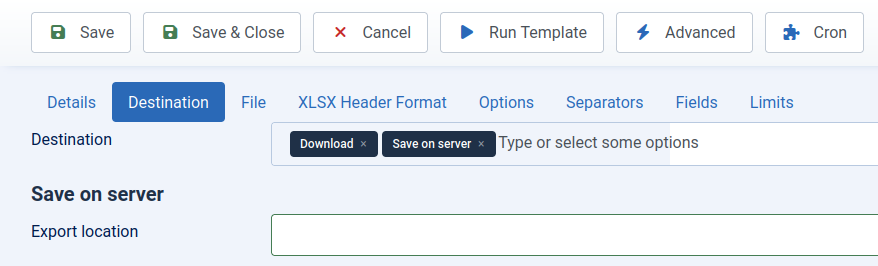
For exporting data, RO CSVI offers powerful capabilities with multiple export destination options. Each template allows you to choose from various delivery methods including downloading files directly to your computer, saving files to your local server, sending files via email, or exporting to remote locations via FTP. Additional advanced options include exporting to other databases, displaying results on screen, or sending data directly to Google Sheets. The extension supports exporting to CSV, XML, XLSX, JSON, and other formats, making it easy to integrate with various systems. Whether you need to create local backups, send files to team members, store data on remote servers, or feed information to external applications, RO CSVI's comprehensive export destination options provide the flexibility to handle diverse workflow requirements.
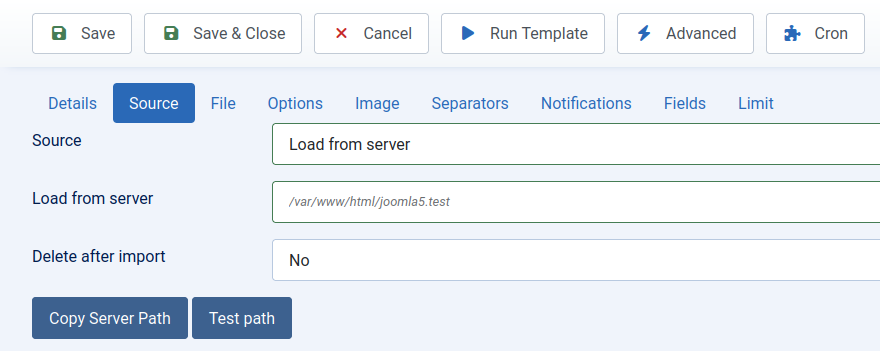
Main import interface showing source options and settings
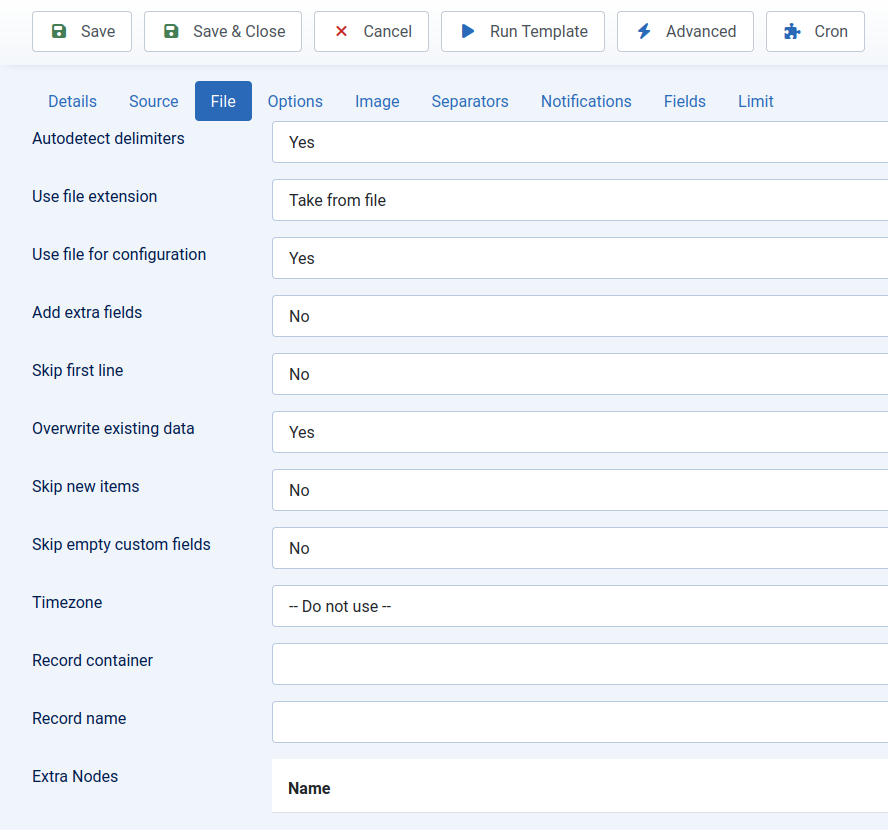
Main import interface showing file options and settings
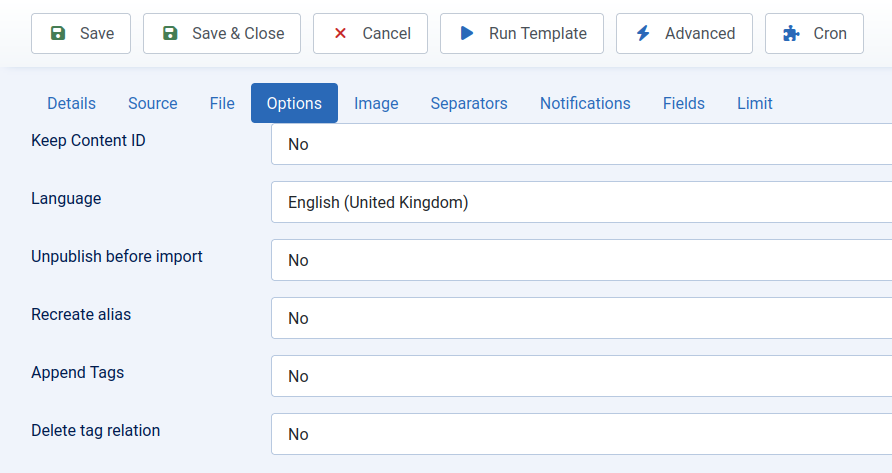
Main import interface showing options and settings for the Joomla Content import
Main import interface showing source options and settings
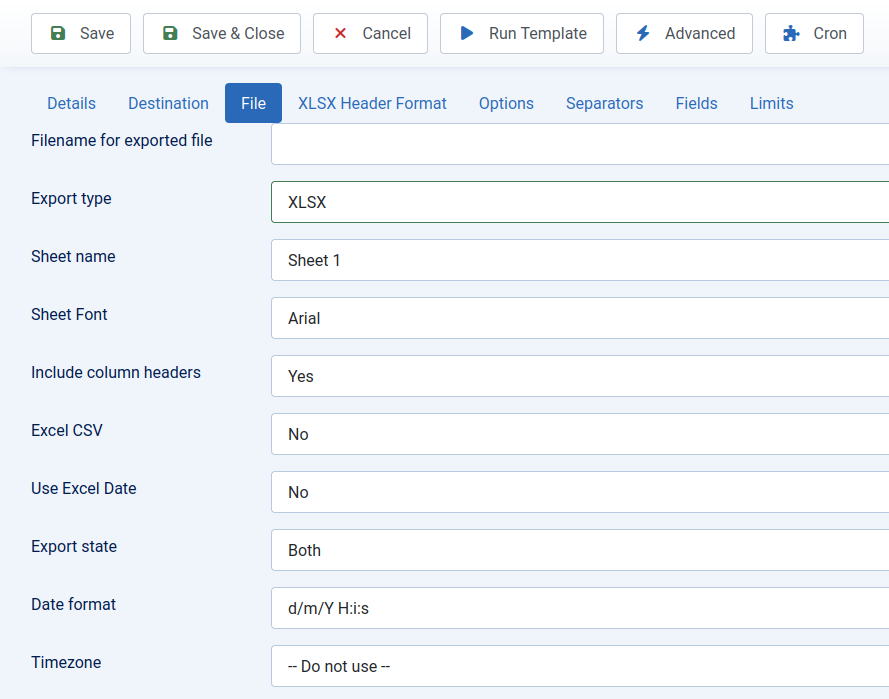
Main import interface showing file options and settings
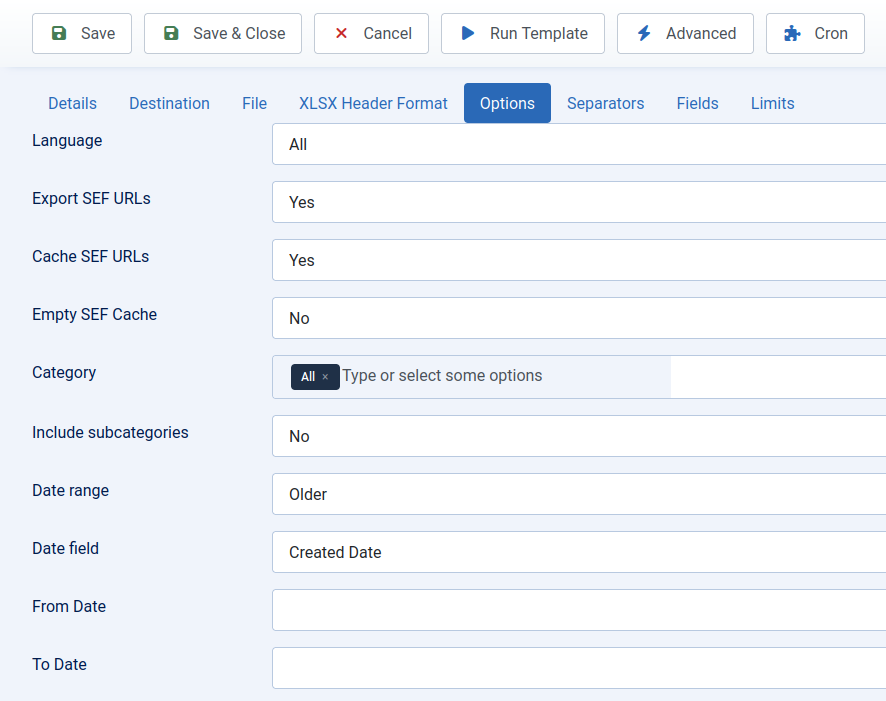
Main import interface showing options and settings for the Joomla Content import
Template Management
RO CSVI's template management system allows you to create, save, and reuse import and export configurations, dramatically reducing setup time for recurring tasks. Each template stores all your settings including field mappings, delimiters, processing rules, and component-specific options. This means you can set up complex import or export operations once and then reuse them whenever needed, ensuring consistency across all your data operations.
The template system includes robust backup and restore functionality, giving you peace of mind that your configurations are safe. You can backup individual templates or your entire template library, and restore them with a single click. This is particularly useful when migrating between development and production environments or when setting up multiple Joomla sites. Featured templates provide quick access to your most frequently used configurations, making your workflow even more efficient.
Creating templates is made easy with the intuitive drag-and-drop field mapping interface. Simply select the fields you want to include, arrange them in the desired order, and configure any necessary transformations. The visual interface shows you exactly how your data will be processed, reducing errors and making complex mappings accessible to users of all technical levels. Whether you're setting up a simple product export or a complex multi-table import, the template system makes the process straightforward and repeatable.
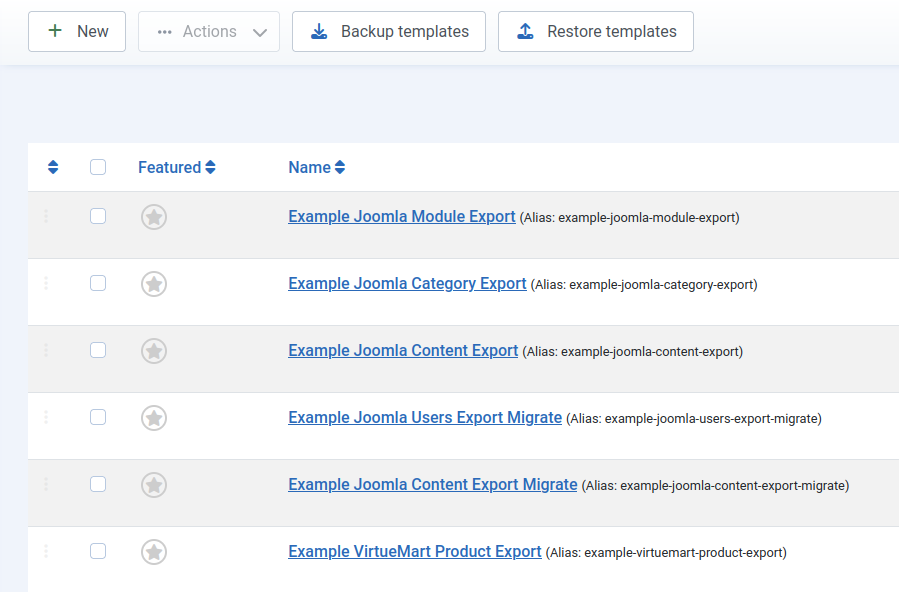
Template management interface showing saved configurations
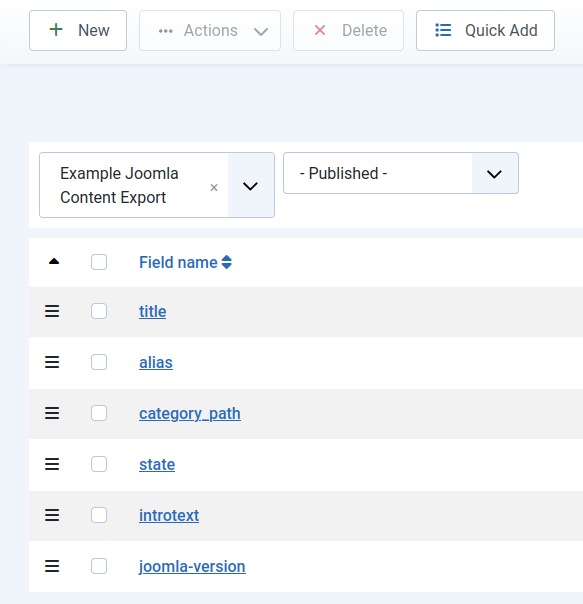
Visual field mapping with drag-and-drop functionality
Extensive Component Support
RO CSVI provides comprehensive support for Joomla components with specific import/export capabilities:
Joomla Core Components (Alphabetical):
- Categories (Import/Export)
- Contacts (Import/Export)
- Content/Articles (Import/Export)
- Menus (Import/Export)
- Modules (Import/Export)
- Tags (Import/Export)
- Users (Import/Export)
Custom Filters:
- Filter Groups (Import/Export)
- Filters (Import/Export)
HikaShop:
- Addresses (Import/Export)
- Categories (Import/Export)
- Characteristics (Import/Export)
- Customers (Import/Export)
- Discounts (Import/Export)
- Orders (Import/Export)
- Product Options (Import/Export)
- Products (Import/Export)
J2Commerce:
- Attributes (Import/Export)
- Categories (Import/Export)
- Customers (Import/Export)
- Orders (Import/Export)
- Product Options (Import/Export)
- Products (Import/Export)
PhocaCart:
- Attributes (Import/Export)
- Categories (Import/Export)
- Customers (Import/Export)
- Orders (Import/Export)
- Product Attributes (Import/Export)
- Products (Import/Export)
RSForm! Pro:
- Forms (Export)
- Submissions (Import/Export)
VirtueMart:
- Categories (Import/Export)
- Custom Fields (Import/Export)
- Google Merchant (Export)
- Manufacturers (Import/Export)
- Orders (Import/Export)
- Payment Methods (Import/Export)
- Product Types (Import/Export)
- Products (Import/Export)
- Shippers (Import/Export)
- Yandex Market (Export)
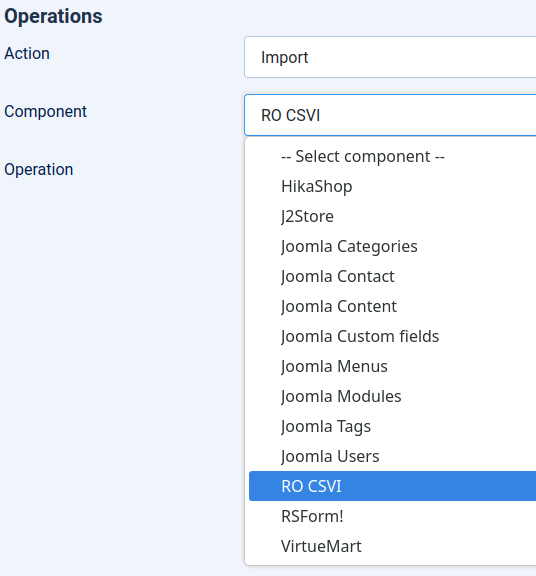
RO CSVI supports a wide range of Joomla components including VirtueMart, HikaShop, J2Commerce, and all core Joomla content types with comprehensive import and export capabilities.
Advanced Data Processing
RO CSVI's advanced data processing capabilities go far beyond basic import and export functions. The field mapping tools allow you to precisely control how source data maps to destination fields, with support for complex transformations and data manipulations. You can reorder fields, combine multiple source fields into one destination field, split data from single fields into multiple fields, and apply various data formatting options to ensure your data fits perfectly into your Joomla database structure.
The extension provides comprehensive support for custom fields across all supported components. Whether you're working with Joomla's core custom fields, VirtueMart product attributes, or HikaShop characteristics, RO CSVI gives you full control over how these complex data structures are handled. Custom field support includes the ability to import and export field values, configurations, and relationships, making it ideal for sites with extensive custom data requirements.
For even more advanced data operations, RO CSVI offers database table integration and custom SQL query support. You can directly access your Joomla database tables, create custom joins between tables, and build complex queries to extract or insert data exactly as needed. Conditional rules allow you to apply business logic during imports and exports, such as setting default values, transforming data based on conditions, or skipping records that don't meet specific criteria. These powerful features make RO CSVI suitable for even the most complex data migration and synchronization tasks.
RO CSVI includes a powerful Rules system that provides advanced data transformation capabilities during import and export operations. The available rules include Field Combine (merge multiple fields into one), Field Copy (duplicate field values), Conditional (apply logic-based transformations), Multi Replace (multiple replacement patterns), Margin (add profit margins to prices), Skip (exclude records based on conditions), and Value Comparison (validate field values). These rules can be applied globally or to specific templates, allowing for sophisticated data processing without requiring custom coding. The visual rule builder interface makes it easy to configure complex data transformations through a user-friendly point-and-click system.
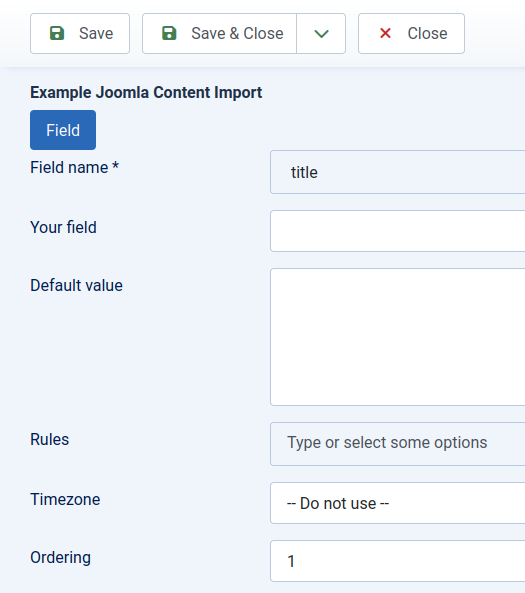
Powerful data transformation tools allow you to map fields, apply conditional rules, and manipulate data during import processes.
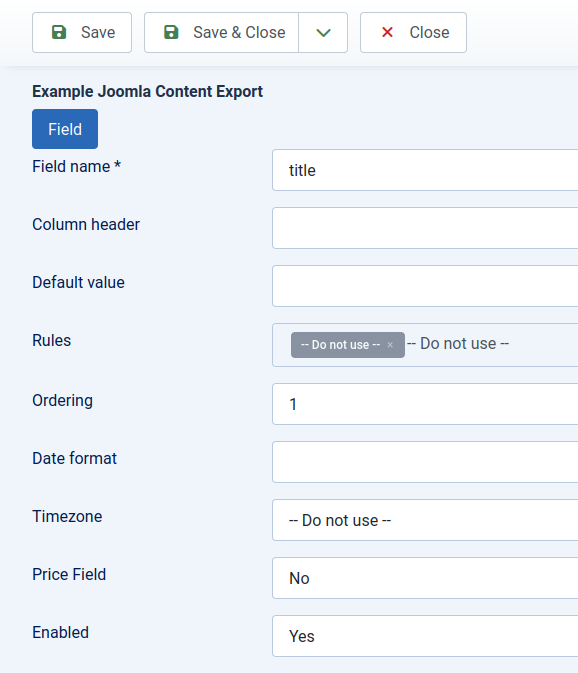
Powerful data transformation tools allow you to map fields, apply conditional rules, and manipulate data during export processes.
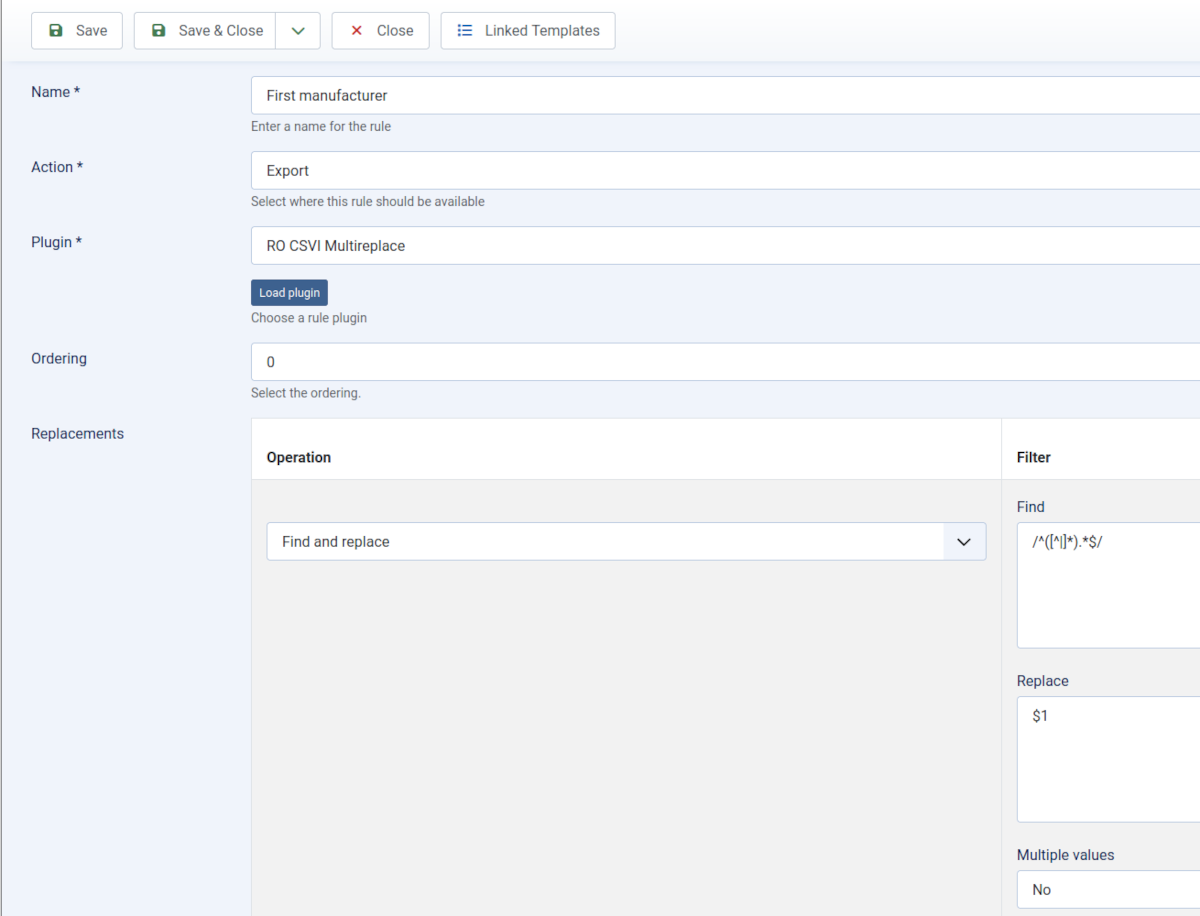
Visual rule builder for creating advanced data transformation rules without coding.
File Analysis Tools
RO CSVI includes powerful file analysis tools that help you identify and resolve potential issues before they cause import problems. The CSV file analyzer examines your source files and provides detailed recommendations for optimal import settings. It automatically detects common formatting issues such as inconsistent delimiters, missing text enclosures, and irregular line endings, giving you the confidence that your data will import correctly.
The analyzer specifically checks for BOM (Byte Order Mark) characters that can cause import failures, and identifies different line-ending formats (Windows, Unix, Mac) to ensure compatibility. It also validates field structures, checking that all rows have the expected number of fields and alerting you to any discrepancies. This proactive approach to file analysis significantly reduces the trial-and-error process typically associated with data imports.
Beyond basic validation, the file analysis tools provide comprehensive error reporting and suggestions for fixing detected issues. The system highlights problematic rows, suggests corrections for common data format problems, and even recommends optimal delimiter and enclosure settings based on your file's content. For complex files, you can preview how RO CSVI will interpret your data before running the full import, allowing you to make adjustments to your source file or import settings as needed. These tools are invaluable for ensuring data integrity and minimizing import errors.
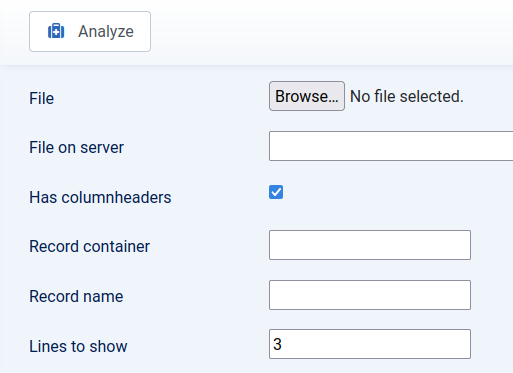
The built-in file analyzer detects formatting issues, recommends optimal settings, and helps prevent import errors before they occur.
Scheduling and Automation
RO CSVI's scheduling and automation features allow you to set up recurring import and export tasks, eliminating the need for manual data management. The task scheduler provides flexible options for running operations on specific dates, at regular intervals, or according to custom schedules. You can configure tasks to run daily, weekly, monthly, or at any custom frequency that suits your business needs, ensuring your data is always up-to-date without manual intervention.
For advanced users and system administrators, RO CSVI offers comprehensive CLI (Command Line Interface) support through Joomla's built-in CLI functionality. This allows you to run import and export operations directly from the command line using standard Joomla console commands, making it easy to integrate RO CSVI into your existing automation workflows, cron jobs, or system scripts. The CLI support leverages Joomla's robust command-line framework and is particularly useful for large-scale operations, server maintenance tasks, or when you need to trigger data operations from external systems.
The automation system includes robust notification features to keep you informed about your scheduled tasks. You can configure email notifications to be sent after import or export completion, with detailed reports about the operation's success, any warnings encountered, and statistics about the processed data. For critical operations, you can set up notifications for both success and failure scenarios, ensuring you're always aware of your system's data status. These automation features make RO CSVI ideal for businesses that need reliable, hands-off data management solutions.
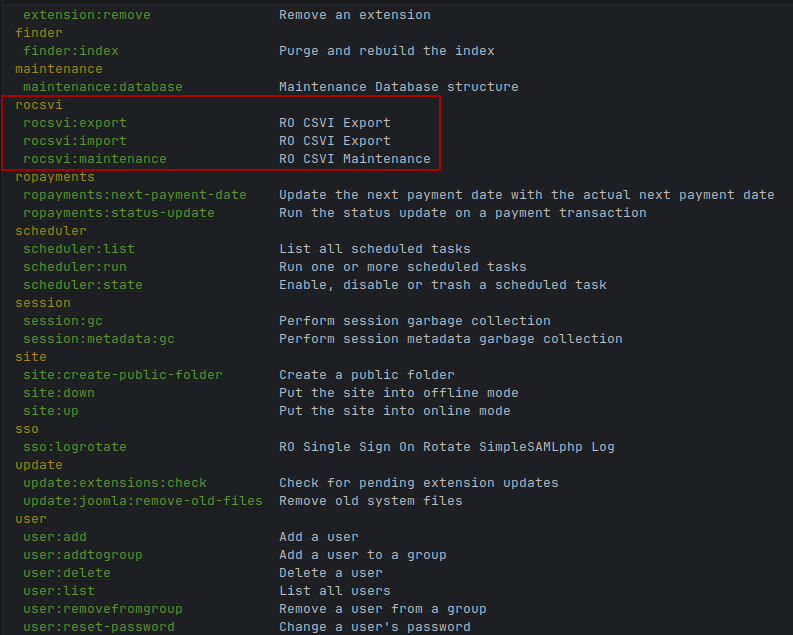
Set up automated import/export tasks to run on schedule, with email notifications to keep you informed of completion status.
Data Filtering and Selection
RO CSVI provides sophisticated data filtering capabilities that give you precise control over which records to include in your imports and exports. The date range filtering allows you to select data based on creation dates, modification dates, or any other date fields in your dataset. This is particularly useful for creating reports, generating recent activity exports, or importing only updated records. You can filter by specific dates, date ranges, or relative time periods like "last 30 days" or "this month".
The filtering system includes specialized options for e-commerce data, such as featured product filtering that lets you work specifically with promoted items in your catalog. Category filtering allows you to focus on specific product categories or content sections, making it easy to manage large catalogs piece by piece. Custom field filtering extends these capabilities to any custom data in your system, giving you the flexibility to filter based on virtually any criteria relevant to your business.
For even more advanced data selection, RO CSVI offers powerful query building capabilities. You can create complex filters using multiple conditions with AND/OR logic, build custom database queries, or use regular expressions for pattern matching. The advanced query builder provides a visual interface for constructing complex filters without requiring SQL knowledge, while still offering direct SQL query support for power users. These filtering tools ensure you only work with the exact data you need, improving efficiency and reducing processing time for large datasets.
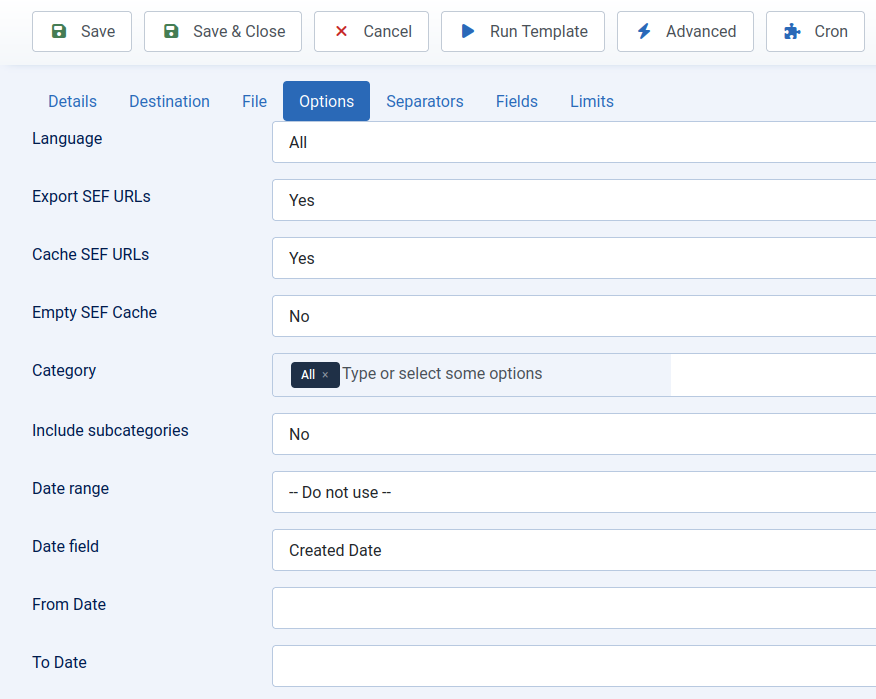
Precise data filtering allows you to export or import only the records you need based on dates, categories, custom fields, and more.
Specialized Features
The multi-language support feature is essential for international businesses, allowing you to manage content and product data in multiple languages. You can import and export translations for all your content types, ensuring your multilingual site stays synchronized. The system handles language associations automatically, making it easy to maintain consistent content across all language versions of your site. This feature is particularly valuable for e-commerce sites serving global markets.
RO CSVI provides advanced image handling capabilities that simplify the management of product images and other media files. You can import images from URLs or local files, automatically resize and optimize them, and associate them with the correct products or content items. The parent-child product relationships management feature is particularly useful for e-commerce sites with complex product structures, allowing you to easily manage product variants, bundles, and related products during import and export operations.
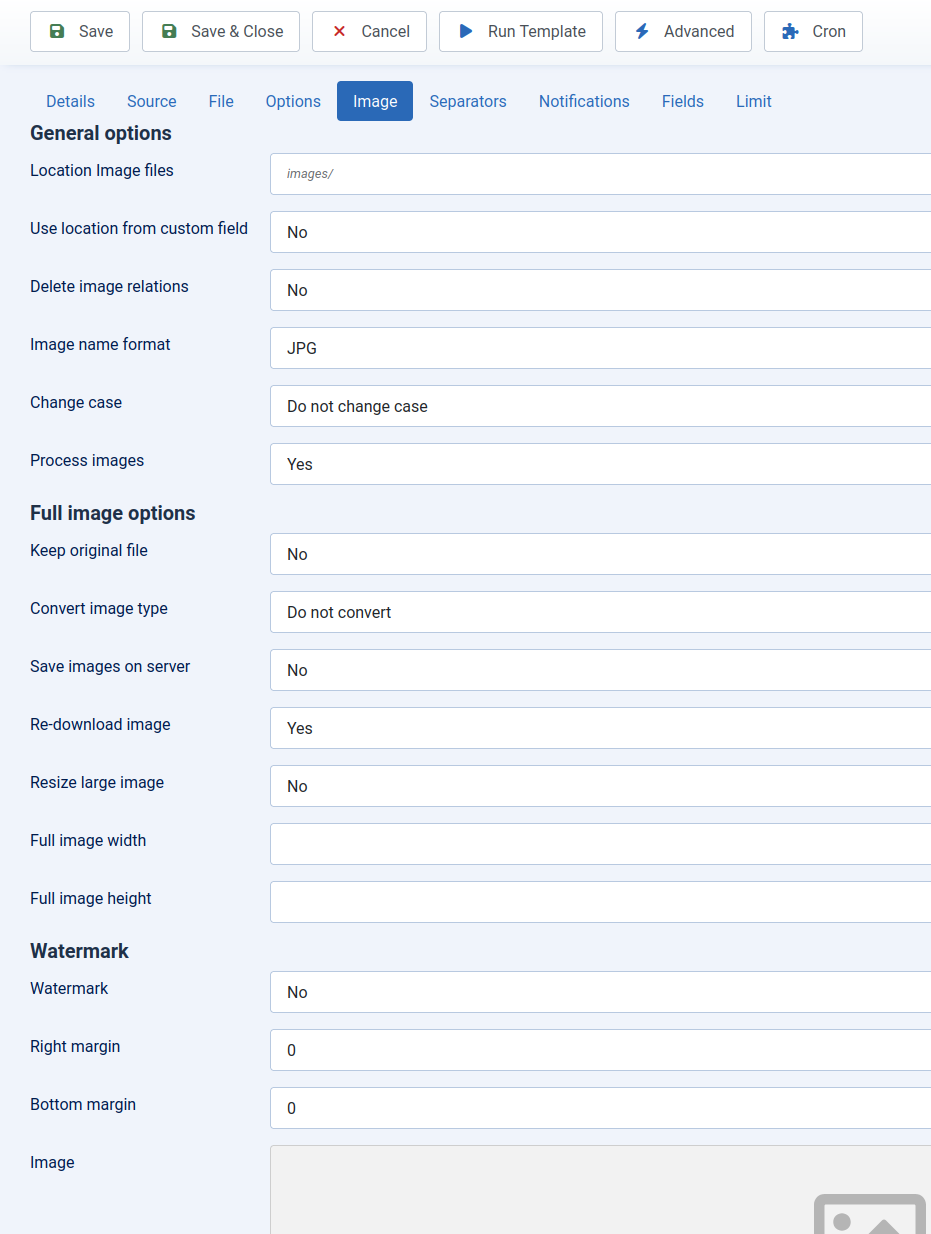
Advanced image processing capabilities including automatic resizing, optimization, and parent-child product relationship management, combined with multi-language support for international e-commerce sites.
Maintenance Tools
RO CSVI includes powerful maintenance tools with component-specific operations tailored to each supported extension. These maintenance tasks help optimize your data, and clean up unnecessary records. Each extension provides its own set of maintenance operations designed for its specific data structures and requirements.
For VirtueMart, available maintenance tasks include sorting categories, removing empty categories, cleaning up product prices, unpublishing products by category, removing product media links, creating database backups, emptying database tables, updating exchange rates, cleaning media files, and checking for duplicate SKUs. HikaShop and J2Commerce offer maintenance operations for removing product prices, emptying database tables, and refreshing SEF URLs. Joomla core components like Categories and Menus also provide specialized maintenance utilities for managing their respective data structures, allowing you to perform component-specific cleanup and optimization operations. These tools help keep your e-commerce data organized and your systems running smoothly across all supported extensions.
The maintenance interface provides a user-friendly way to select and execute these operations, with detailed logging and progress tracking. You can schedule maintenance tasks to run automatically or execute them manually as needed.
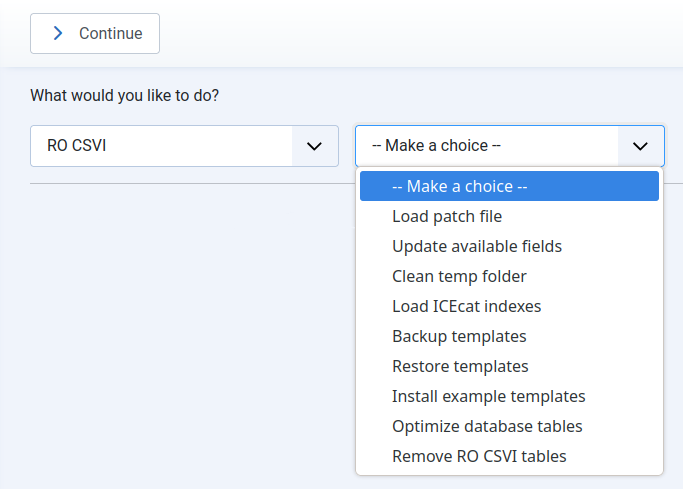
Component-specific maintenance operations including database cleanup, category sorting, price management, media file optimization, and exchange rate updates for supported e-commerce extensions.
User Interface Features
RO CSVI features a modern, responsive admin interface that follows Joomla's standard UI patterns and conventions, ensuring a familiar experience for Joomla administrators. The interface maintains consistency with Joomla's native administration templates. Designed with usability in mind, it features intuitive navigation, clear labeling, and logical workflows that guide you through complex import and export processes.
The field management system allows you to easily add, configure, and organize fields for your import and export operations. Fields can be added manually or using the Quick Add option, which automatically creates field mappings. The interface provides clear visual feedback and organization, showing you exactly how your data will be structured during import or export operations. Once fields are added, you can rearrange them using drag-and-drop to set the optimal processing order. You can edit the fields to customize the settings per field, for example to add processing rules.
RO CSVI includes powerful preview functionality that lets you see how your data will look before running the full import operation. You can preview a sample of your imported data to verify field mappings, check data transformations, and ensure everything is configured correctly. The progress tracking system provides real-time updates during import and export operations, showing you exactly how many records have been processed, current processing speed, and estimated time remaining. Detailed statistics displays give you insights into your data operations, helping you monitor performance and optimize your workflows.
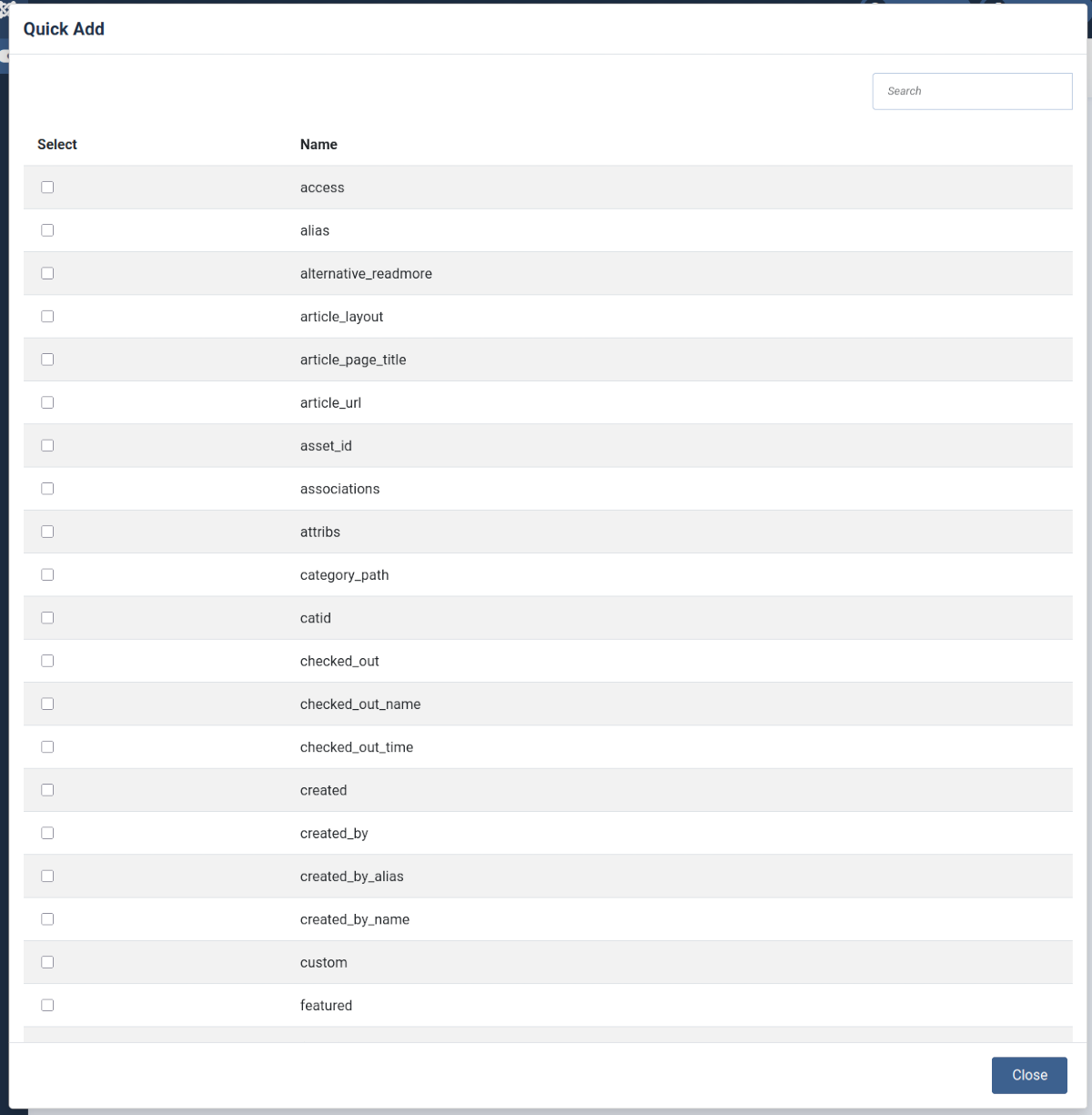
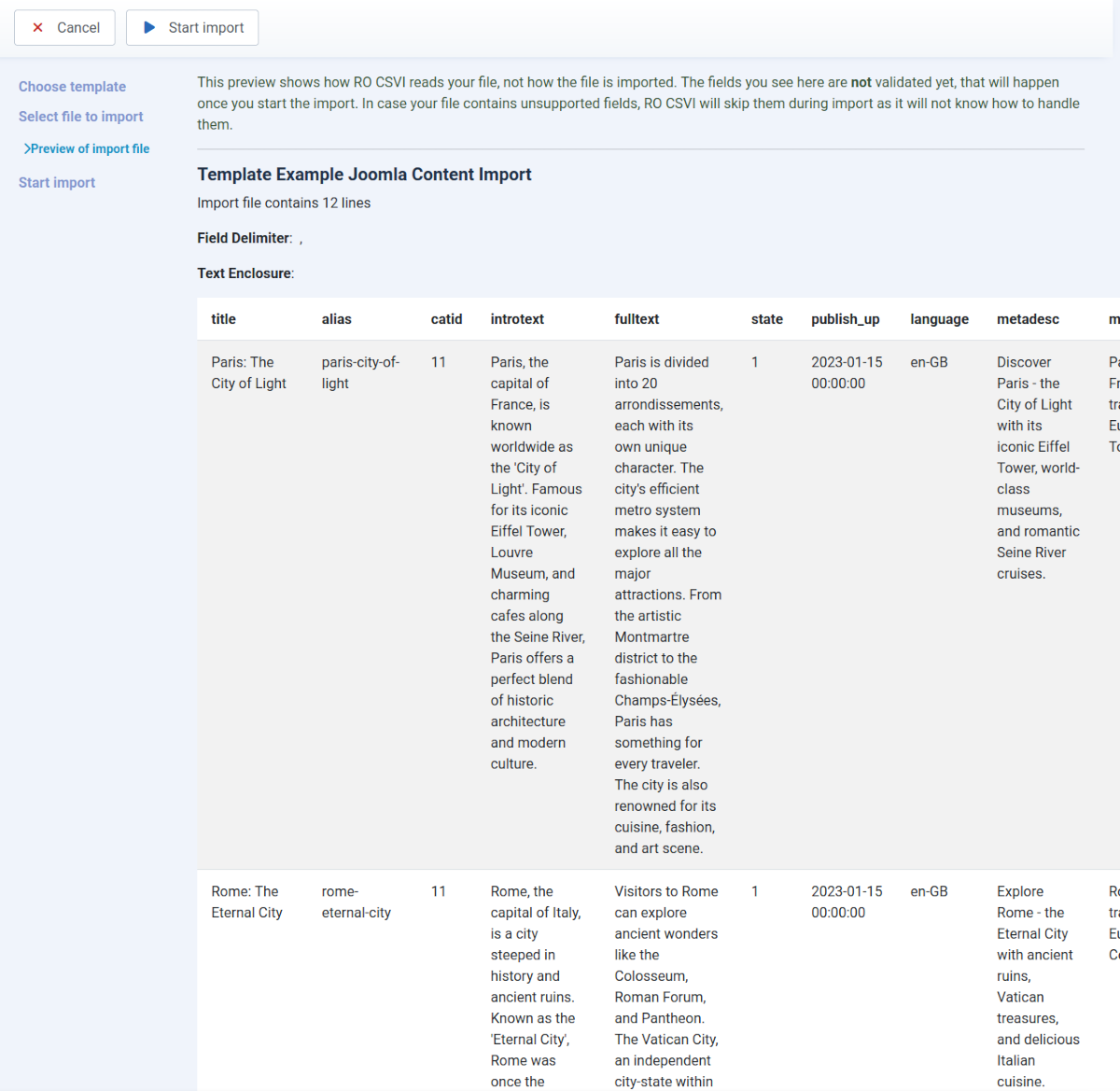
The user-friendly interface features intuitive field configuration with Quick Add options, and data preview functionality to verify mappings before processing
Integration Capabilities
RO CSVI offers integration capabilities that allow it to work with your existing tools and workflows. The Google Sheets integration enables you to export your Joomla data directly to Google Sheets using Google's official API. This allows for secure data transfer and collaboration, making it easy to work with spreadsheet data in a familiar interface. The integration supports OAuth authentication and is configured globally.
The extension also supports remote file operations, allowing you to work with files located on (S)FTP servers or HTTP/HTTPS URLs. You can import data from remote files without needing to download them first, or export data directly to remote servers. This capability is useful for businesses that need to exchange data with external systems or cloud storage services.
RO CSVI is designed to be compatible with a wide range of Joomla extensions, ensuring it works harmoniously within your existing Joomla environment. The extension follows Joomla's standard patterns and conventions, making it easy to integrate with other components and plugins. This compatibility allows RO CSVI to fit seamlessly into your site's existing workflows and data management processes.
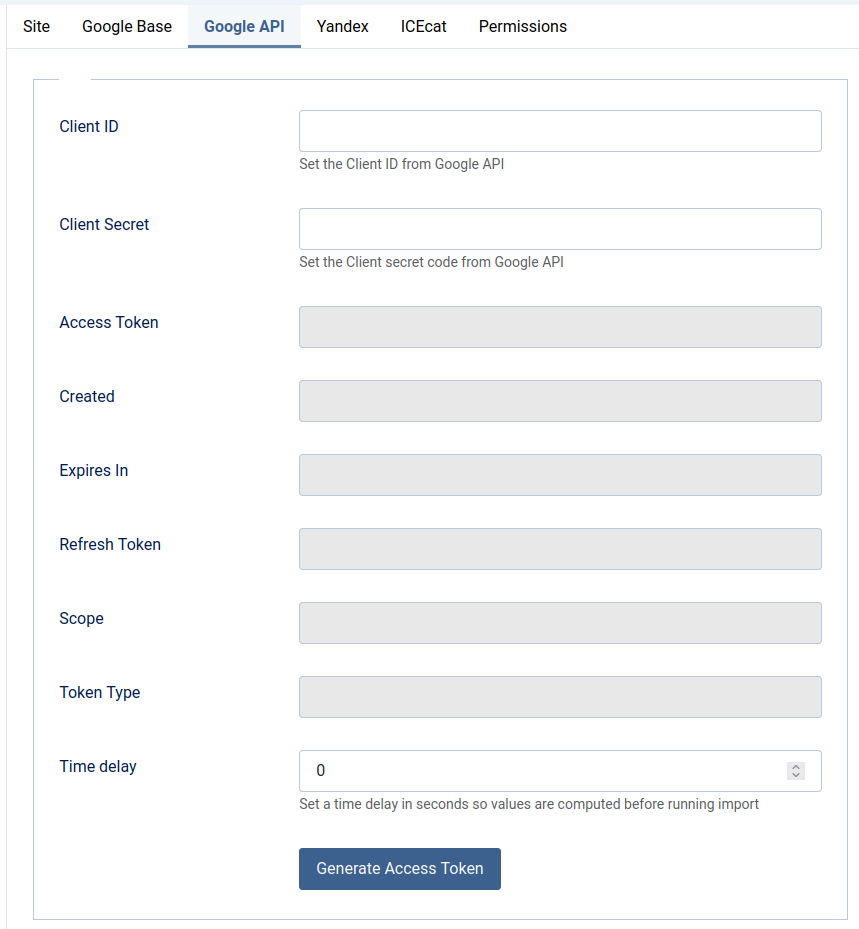
RO CSVI integrates with Google Sheets via official API and supports remote file operations for flexible data exchange.
Performance and Scalability
RO CSVI is engineered for high performance and scalability, capable of handling large datasets efficiently without overwhelming your server resources. The extension includes specialized large file handling capabilities that allow you to process files with tens of thousands of records or more. Unlike many data import tools that load entire files into memory, RO CSVI uses intelligent chunking and streaming techniques to process data in manageable batches, ensuring stable performance even with very large datasets.
The memory optimization features are particularly important for importing large datasets. RO CSVI allows you to configure memory limits and execution times through template settings, with options to use system defaults or custom values. For large operations, you can increase memory limits to prevent timeouts, while for smaller operations, the system respects your server's default resource allocations. These configurable settings help prevent memory errors and server timeouts during import and export operations.
For even greater scalability, RO CSVI supports batch processing and database iterator functionality. Batch processing allows you to break large import or export operations into smaller, more manageable chunks. The database iterator support enables efficient processing of large database queries by fetching and processing records in batches rather than loading entire result sets at once. These features make RO CSVI suitable for enterprise-level data operations, allowing you to handle datasets that would be impossible with standard import/export tools. Whether you're managing a small business catalog or a large e-commerce platform, RO CSVI scales to meet your needs.
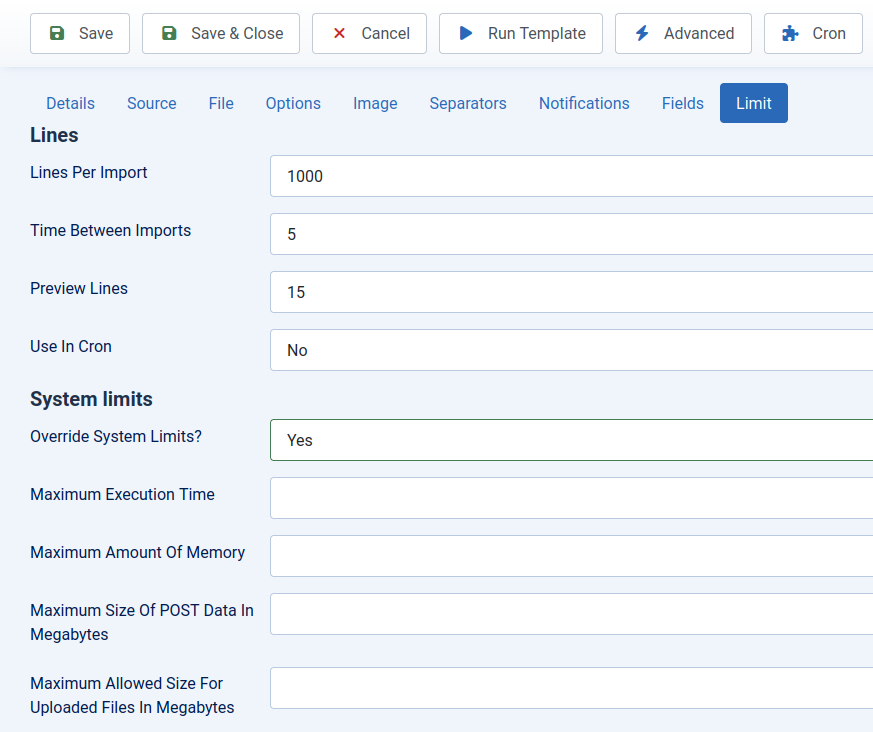
Optimized for performance, RO CSVI handles large datasets efficiently with memory optimization and batch processing capabilities.
RO CSVI - The ultimate import and export tool for Joomla websites