RO CSVI 9.5.0 release
Time is moving fast and we have reached our second release for 2026. This RO CSVI 9.5.0 release comes with quite a few new features, actually more features than bugfixes. The new features are mostly a quality of life features, added to make your life easier when using RO CSVI.
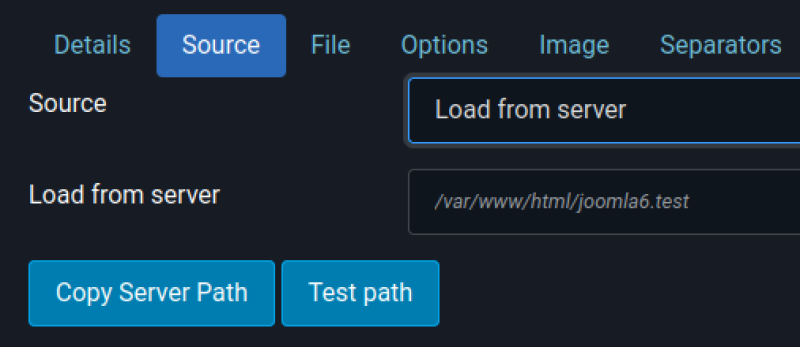
Copy server path
RO CSVI has the option to read import files from the server, either from a file or a folder. This is handy but to put in the complete path on your server can be challenging as it can be a long and complicated path. To help you with that we have added a button to copy the server path into the input field. Just click the button and the Load from server field will be filled with the full server path to your Joomla installation. We can already tell you that in the next release another change will come and that is the support for JPATH_ROOT, that way you don't actually need the full path anymore if you do not want.
Date conversion
Joomla stores all dates as UTC dates however when importing data from an external system, it could be that the dates in your import file are not actually UTC dates. If you would store those dates, you will see a different date in Joomla depending on your timezone settings. RO CSVI now has the option to convert your dates on import to UTC, you only need to specify which timezone your data is in.
There are 2 options here:
- Set the timezone in the template for all date fields
- Set the timezone in the template field and you can control the conversion per field

Email results after import
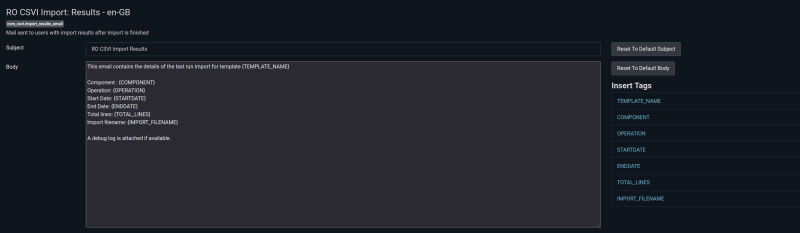
After an import is finished you are presented with a screen showing the import results. Now this might be handy but only if you are manually importing the data. In case you have setup a cronjob you will never see the results. Now you can. RO CSVI adds a new mail template to the Joomla mail templates with a number of placeholders so you can fully customize your own notification email. In your import template you will find a new tab called Notifications where you can configure whether or not you want to receive an email. We have documentation available on how to use this feature, check out the Send Email After Import.

Available Fields Threshold
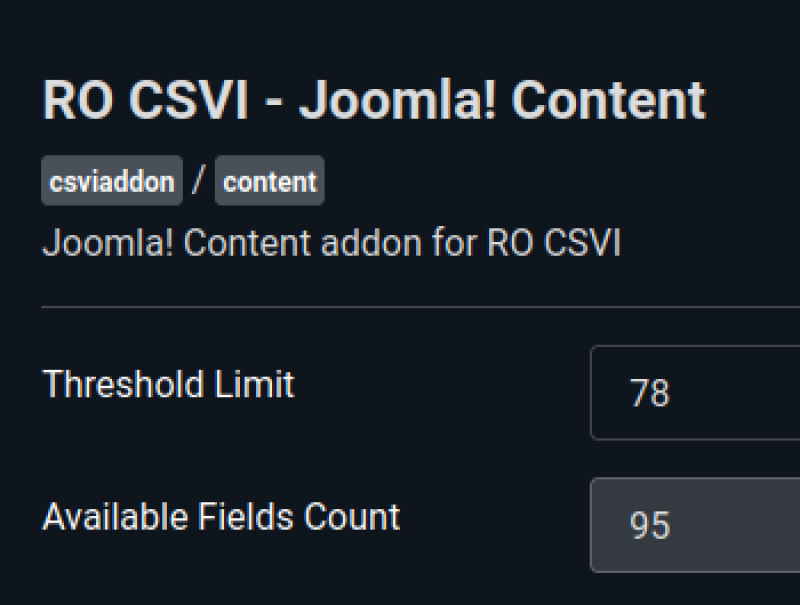
Most of us have seen the message that the list of available fields needs updating. Usually you click the update button and the message is resolved. However sometimes it seems elusive as to why this happens. RO CSVI uses a threshold to determine if there are enough fields indexed, if the threshold is not reached, you will see that message. Changing the threshold to a lower value might remove the message but it needs some coding and it does not solve the real issue. To be able to understand what is going on, we have added the option in the plugin settings of all our addons to see what the threshold is, how many fields are indexed and you can change the threshold if required.
PhocaCart
There are 2 new features for PhocaCart added to this release as well:
- Create manufacturers during product import
- Auto-increment image ordering during product import
Notable changes
- Exporting Joomla Content associations had the wrong category ID assigned to the target associations
Changes in RO CSVI 9.5.0
Check the full list of changes in this release:
- Fixed duplicate line for tasks in J2Store
- Fixed exporting Joomla Content associations to have the wrong category ID
- Fixed unable to open templates when JCE Pro is installed
- Fixed undefined warnings in the RO CSVI custom table export
- Fixed updating available fields for J2Commerce when no custom fields exist
- Added auto-increment ordering of images in PhocaCart Product import
- Added button to copy server path into the Load from server input field
- Added option to convert dates to UTC format during import
- Added option to see the number of indexed available fields for RO CSVI addons
- Added option to send an email after import completes with import results
- Added option to set the threshold limit of available fields for RO CSVI addons
- Added automatically create manufacturers in PhocaCart Product import
- Changed Log class to use the RO CSVI namespace
A full changelog of all changes is available on the download page of RO CSVI 9.5.0.
This release is available for free to everyone with an active subscription from the Download section. If you do not have a subscription yet, you can subscribe here.