With RO CSVI 9.5.0 version we have included a new feature of sending out email after import is finished. This feature uses Joomla Mail templates so it is easy for users to edit and use it as per their requirement.
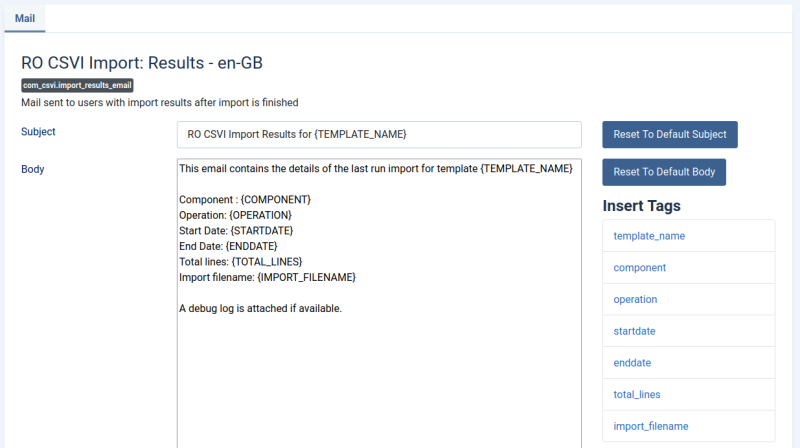
To edit mail template
- Click on Joomla System menu item and click to Mail templates under Templates section.
- Search for RO CSVI in the filter or find mail template with title RO CSVI Import Results. Edit and save the email template.
To set import template to send Email
- Reset tasks and update available fields
- In import template on Notifications tab set Send Email After Import to Yes and save the template.
- That is all is needed. You can now see the results of import as email in the email ID of logged in user.
